
Honor Band 4 arrives with colored display for 2000

After unveiling the Honor 8X and Honor 8X Max, the Huawei subsidiary also introduced a new edition of its fitness band called Honor Band 4. The new gadget comes with a Home button and a colored AMOLED panel. It is aiming to dethrone the Mi Band 3 from the affordable fitness band top position with its price tag of $30.

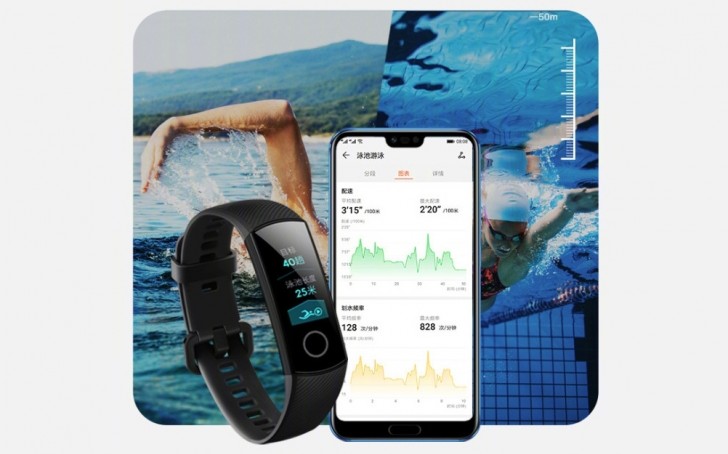
The Honor Band 4 has a 0.95” AMOLED screen with 2.5D curved glass on top of it. It has pedometer, sleep tracker, heart rate sensor and is water- and dust-resistant up to 5 ATM. It has Huawei TruSleep 2.0 feature that monitors the complete sleep cycle, including REM, and then offers personalized recommendations.
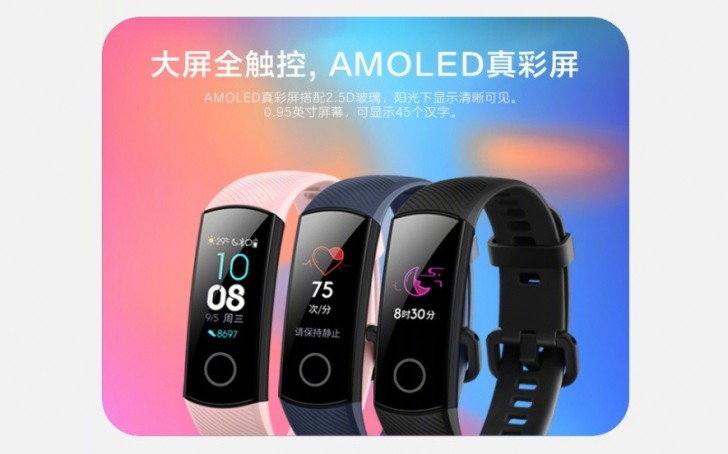
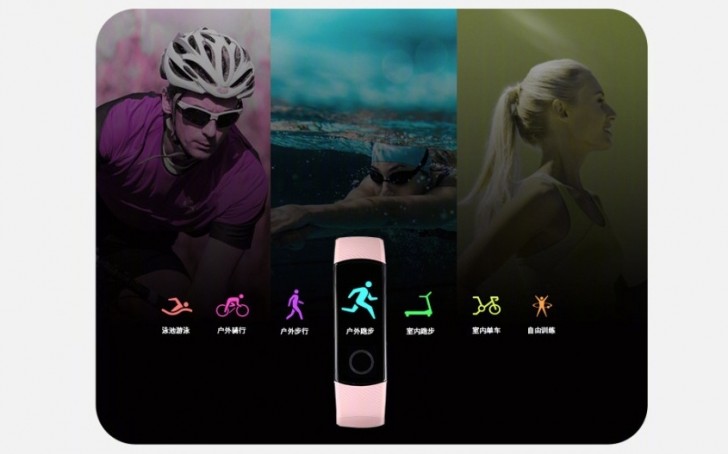
Another neat feature is TruSeen 2.0 that follows the heart rate all the time during activities like running, walking, cycling. The battery of the device is 100 mAh and Honor promises 14 days of usage time.
The company also introduced Running Edition of the Honor Band 4. It comes with POLED display, but unlike the regular version, this one is monochrome. It has slightly smaller battery - 77 mAh, but offers improved data like running detection like cadence, step length, ground contact and foot strike pattern.
The Honor Band 4 arrives in Black, Blue, and Pink and costs CNY199, which is no more than $29/€25. The Running Edition has Black, Blue, Red, Yellow, Green, and Pink color option and is just CNY99 or less than $15/€13. Both devices will be on sale in China on September 20, and hopefully will appear on the global scene as well.
Source (in Chinese)

Comments

Popular posts from this blog

Apple releases new iOS 12 beta, putting a stop to infuriating update notification

A new iOS update is now available (for real) “A new iOS update is now available. Please update from the iOS 12 beta.” If you’ve been running the latest version of Apple’s beta software for OS 12, you’ve likely been pestered by this notification a whole lot over the last 24 hours. Dozens of times? Potentially hundreds? Yesterday, it started showing up every time an iOS device was unlocked — or even if you just pulled down the notification tray a little bit. Thankfully, just as we enter Labor Day weekend, Apple has shipped another iOS 12 update to restore sanity. If you open up your iPhone’s settings, iOS 12 public beta 10 (developer beta 12) is now available to download. Once you do, the obnoxious, constant alert — about an update that didn’t even exist — will go away. GuilhermeRamo managed to pinpoint what went wrong with the last iOS 12 beta. The build thought it was about to expire, thus setting off the string of notifications and mass frustration: This annoying hiccup...

Apple sold fewer iPhones but made more money thanks to the iPhone

Apple’s  first quarterly earnings reports for 2018  are in, and the  company has reported  that  it sold 77.3 million iPhones in Q1 2018  (which includes the holiday season). That number is down 1.24 percent year over year from last year (78.3 million). But despite the slump in sales, iPhone revenue increased overall year over year, up 11.69 percent from $54.38 billion to $61.58 billion. While predictions for the average sale price of iPhone units sold during the quarter ranged from $710 to $755, the actual ASP was $796 (compared to $694 in Q1 2017), which directly explains the increase of revenue despite the decrease in sales. That said, despite the record revenue, analysts were still expecting a slight increase of approximately 1.5 percent year over year for units shipped, not a decrease. My estimate for iPhone units was expecting a lot more iPhone 8 with an average pricing of $710. Actual ASP was $796. A LOT of iPhon...

11 tricks to make your Android run faster

frustrating to drop several hundred dollars on a high-end smartphone only to find that the smooth and speedy performance you expected remains elusive. Mid-rangers and the budget end of the market are even more prone to stuttering and lag. There are various ways to speed up that Android performance, and a few things you can do to make it feel faster. Make sure you’re up to date  The latest software will often contain bug fixes and general improvements and it can help your Android device to run better. Software updates tend to come OTA (Over The Air) and you should be automatically prompted to install them, but it doesn’t hurt to check. Go to Settings > About device > Software update and check for updates. The same logic applies to apps, so fire up the Play Store, open the menu at the top left and tap My apps and make sure all of the apps you use are up to date. Clean up your home screen  If you choose to use live wallpaper then consider replacing it with a good static...